Frequently Asked Questions
General
Why Photoscope?
We’ve had the need for a product like Photoscope for a long time. In early 2024, we had the perfect opportunity to create our first native app for Apple Vision Pro while scratching our itch. So we couldn’t resist.
What are the System Requirements for Photoscope?
Photoscope runs on the latest major OS version. Photoscope is available for visionOS 26 or later, and iOS/iPadOS 26 or later. Older versions will not be supported.
I would love to have this app on the Mac!
Great. Reach out and let us know via hello@leitmotif.dev
I have a feature request! / I think I found a bug.
The ••• menu on the main screen contains an entry Send Feedback. We’re eager to hear about your ideas and learn about unexpected behavior.
How can I support Photoscope
Let more people know about the app. Post to social media, share the app with friends and family. If you like Photoscope, please leave a review on the App Store. That does help us a lot! If you have a quibble with Photoscope, please get in touch and let us know. If want to support our work, take a look at our other products, Kaleidoscope and Versions. Maybe you have a need for them.
Specific Functionality
Why does Photoscope require full access to my Photo library?
Photoscope automatically shows series and bursts in your library. It needs to be able to detect those. This can only be done using full access. You could (and in fact can) also manually select a series, but that is rather tedious. And for bursts, this method does not work, see below. Once you found your pick for a series, Photoscope can favorite that photo in your library or delete photos you have discarded. Full access is also needed for those operations.
What do I see on the main screen?
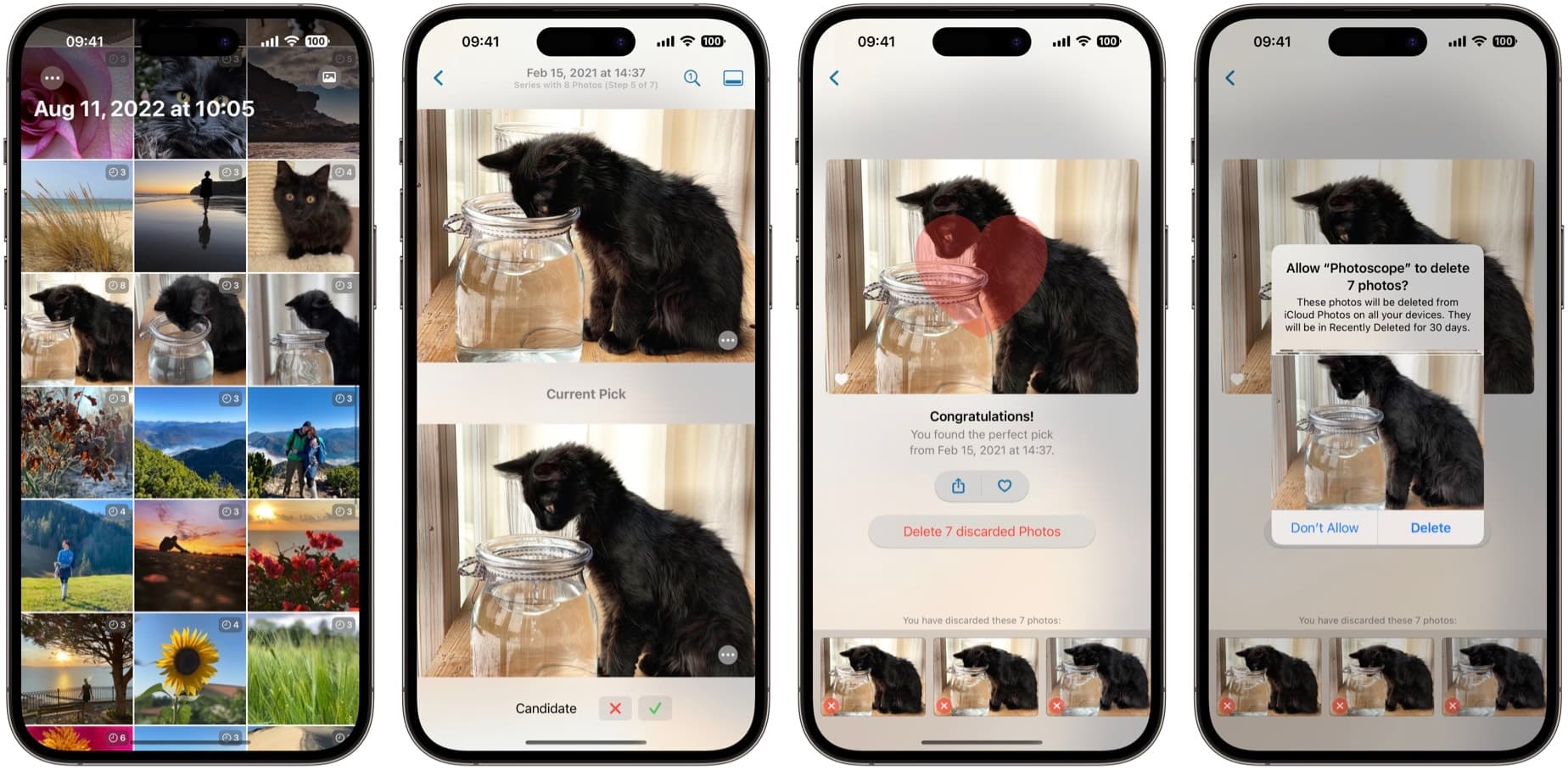
Once you have given Photoscope access to your photo library, the app will show Photo Series and Photo Bursts, sorted by date in reverse order. The latest will be on top. You will see a single thumbnail for each series or burst. On the top right of each thumbnail, you see what it represents and the number of photos contained. Series have a clock icon, whereas bursts have the same icon used the Photos app. Tap a thumbnail to open that series and go through the process of selecting your pick.
Photoscope did not detect a series. Can I add one manually?
Yes! Select the Photo button on the main screen, to present the (system provided) photo picker. Select all the photos you want to have in a series. A series needs to have at least 2 photos, typically more.
Can I add a Photo Burst?
A photo burst is a range of photos automatically marked as a burst by iOS. Using full library access, Photoscope can detect and show all of your bursts. Manually adding a burst does not work. If you use the Photos button, switch to Albums and Bursts and then select one, the operating system will only provide Photoscope with the one photo you see in the Photos picker, not the entire burst.
Photoscope is not showing series in my Hidden photos?
Yes, that’s correct. You intentionally marked those photos as hidden in Photos app, so Photoscope does not have access to those photos, they are hidden.
How can I free up iPhone storage by removing similar photos?
Photoscope finds likely duplicates by grouping photos from the same moment or location, guides you to choose the best shot, and lets you delete the discards in one tap. No uploads, no accounts—just a lighter camera roll.
How do I quickly delete hundreds of duplicate photos on my iPhone?
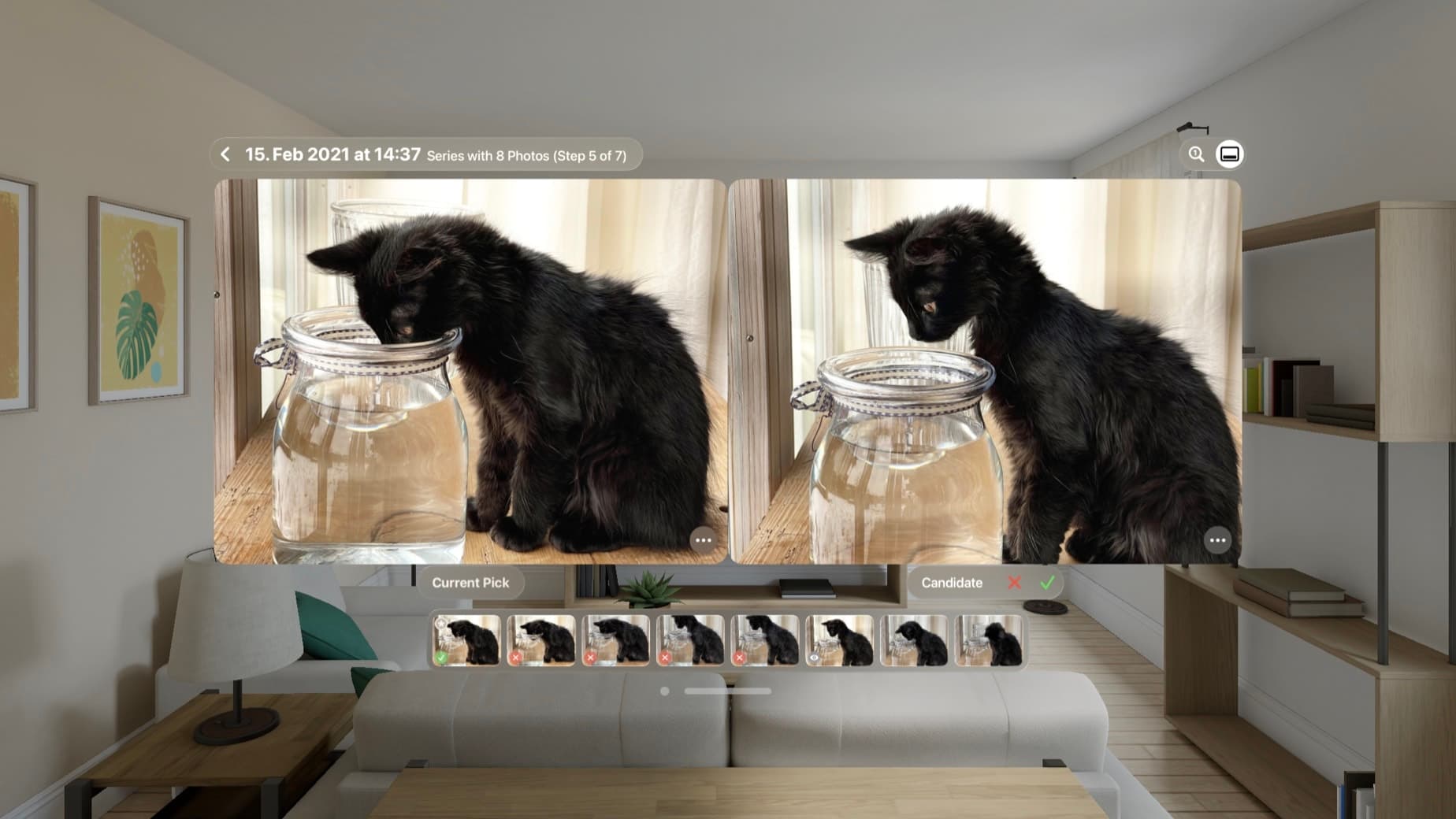
The most efficient way is using the Photoscope app. Photoscope simplifies the process by intelligently grouping similar photos (taken in the same place and time) into manageable events. You then use the unique "Champion vs. Challenger" split-screen interface to compare shots side-by-side, decide which to keep, and bulk-delete the unwanted duplicates in a single action to free up significant storage.
Pricing and License
What’s the price for Photoscope?
Photoscope is completely free to download and use. We make no statements about the future and don’t publicly discuss plans. If you download Photoscope now, the features you are getting now will remain free.
If the app is free, are you stealing my data?
Absolutely not! Apart from a bit of anonymous analytics (powered by Amplitude), no data is collected, and we’re not giving that data to anyone. Our goal with that is to learn about app usage and how to improve it to cater to your needs. The data we gather via analytics does not contain any personal information, and most importantly, no photo data ever leaves your device. We cannot see your photos and frankly, we don’t want to.
Other Questions?
If you have a question that has not been answered here, please let us know via hello@leitmotif.dev